

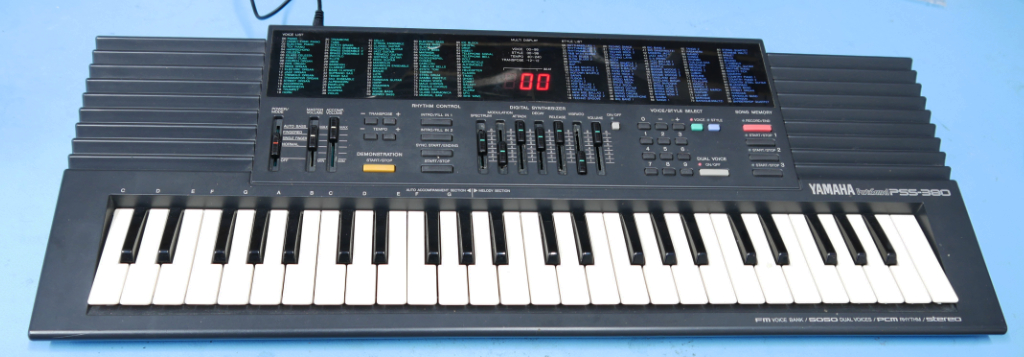
This guide explains how to install a MIDI input in a Yamaha PSS-380/PSS-390 keyboard. We use uniMatrix to interface the keyboard matrix and simulate key presses.
Installing UniMatrix
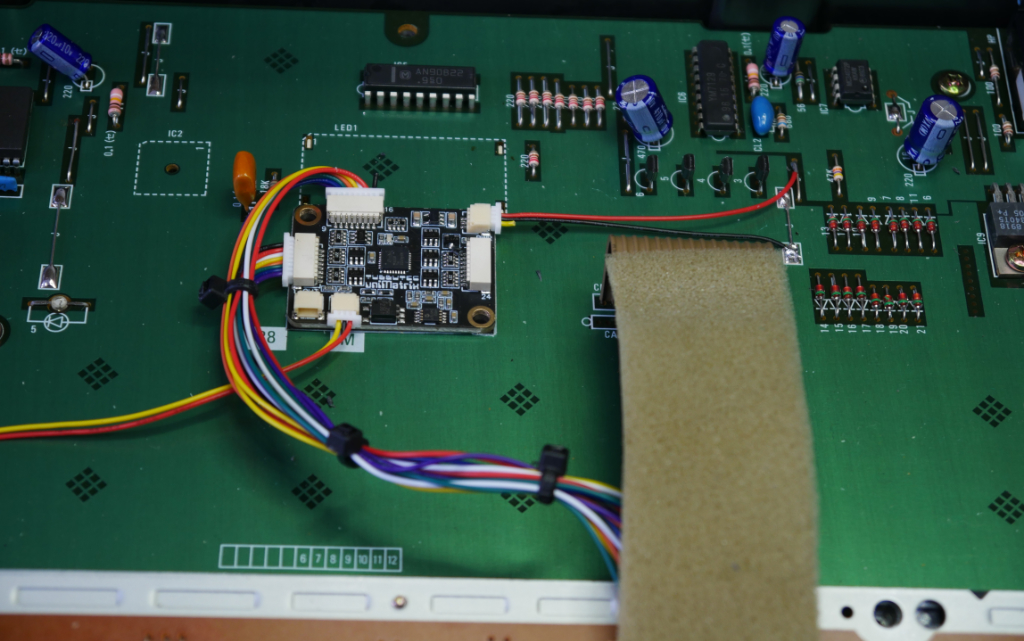
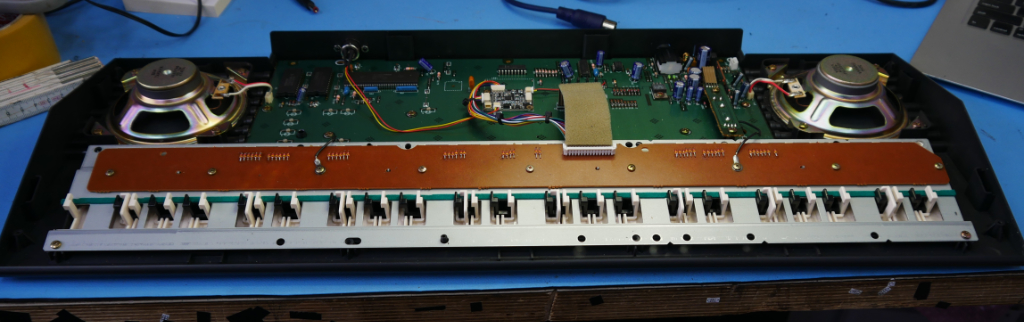
Use double sided tape to mount the uniMatrix board like shown in the picture below. We also put insulating tape to the bottom of the uniMatrix board to make sure not to create a short circuit.
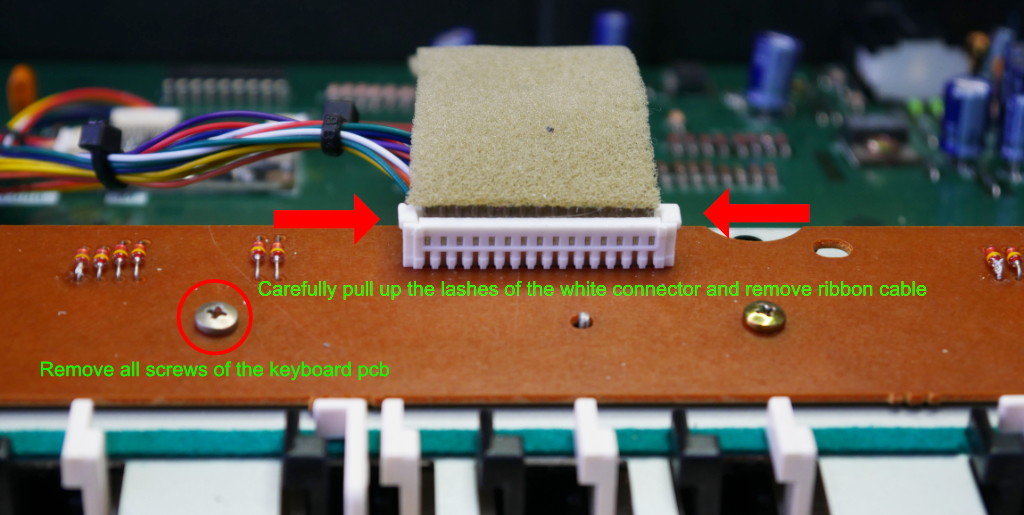
Remove the 9 screws of the keyboard pcb and carefully remove the keyboard ribbon cable from its connector.
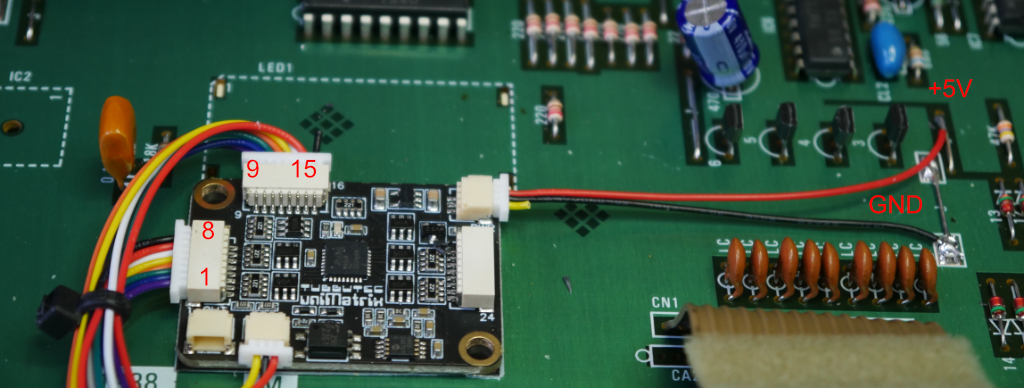
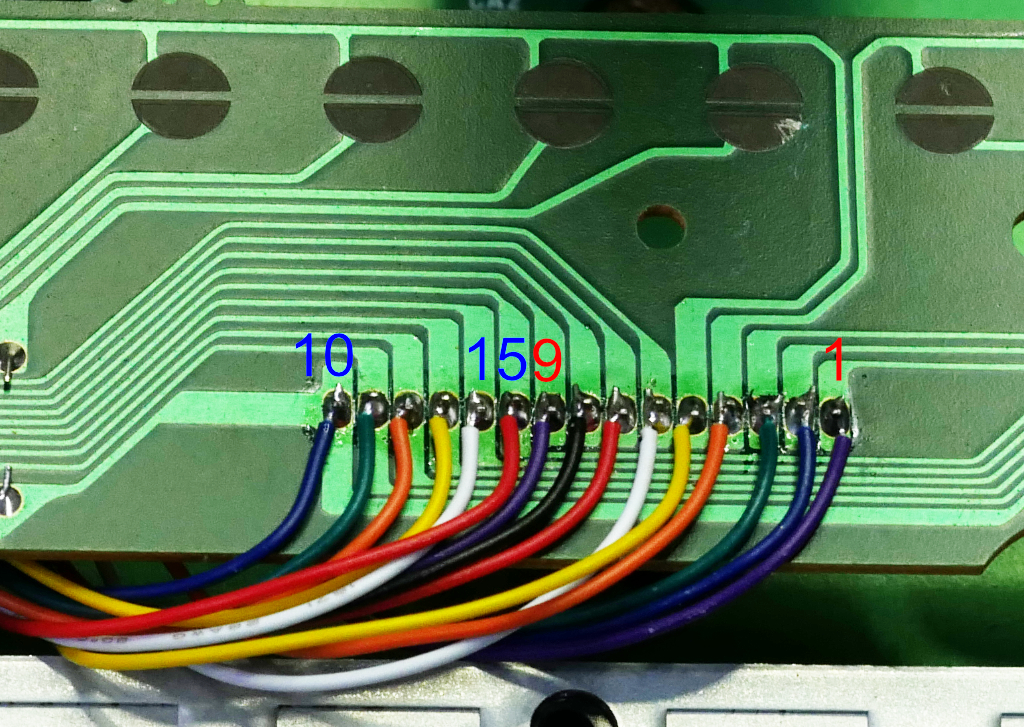
Now solder the 2 power connection wires and the 15 matrix wires as shown in the picture below. Do not rely on the wire colors in the picture, these might be different in your version of uniMatrix.
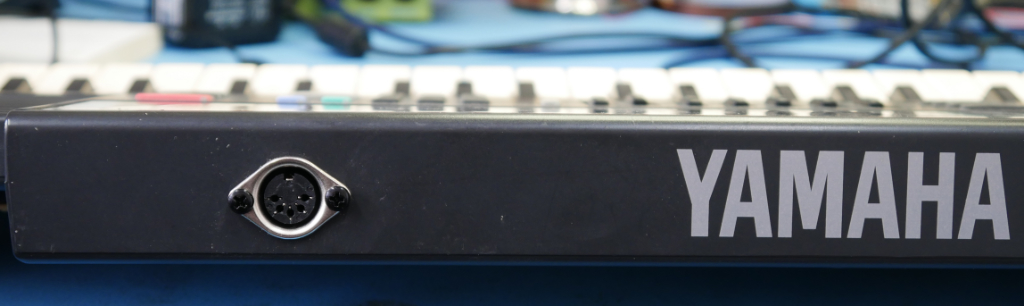
Finally drill a hole using the provided drill stencil to a place where you like the best. If you choose the same spot as we did be careful not to damage any nearby parts.
That´s it. The finished installation should look something like this:
If you wish you can make changes to the configuration using our online configuration tool for uniMatrix.
Finally, here´s the config file (right click “save as”)