


Midi interface and upgrade for the Roland TR-606
Features | User manuals | Order Online | Configurator and updater
Introduction
TR-6oh6 is a CPU upgrade and MIDI interface for the Roland TR-606. It adds an improved sequencer, additional instruments, live performance features and MIDI.
Features
- Replacement processor for TR-606 with extended features
- Nine additional drum sounds including a clap
- Dynamic levels for all instruments
- MIDI input and output
- Improved sequencer, but true to the original:
- Edit patterns while another one is playing
- 32 patterns that can be chained to a track with up to 32 patterns
- 8 tracks can be saved and recalled at any time
- A new track can be programmed on the fly
- Four dynamic levels per step and instrument
- And/or four probability levels per step and instrument
- Copy, paste and clear patterns easily
- Tap recording and clear like in the original
- A pattern generator with eight different styles
- Six live effects:
- Instrument muting
- Beat reslicer
- Arpeggiator (live drum sequencer)
- Ratchet / Flam with 7 different modes
- Play directions (forward, backward, ping-pong, random)
- Swing with adjustable amount
- Cymbal and open hihat decay control via MIDI
- Retain patterns even without battery
- Legacy mode: The same features as the original, but with MIDI
- Built-in configuration menu to quickly set many additional parameters
- Easy to install, no case drilling needed
- MIDI note config and Firmware update via MIDI sysex
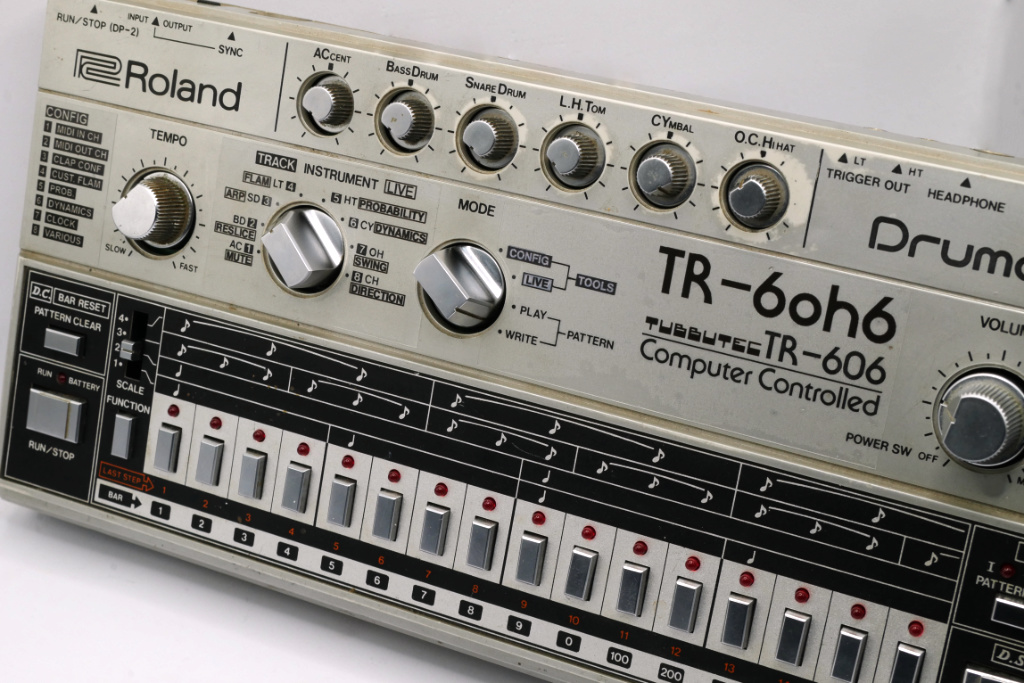
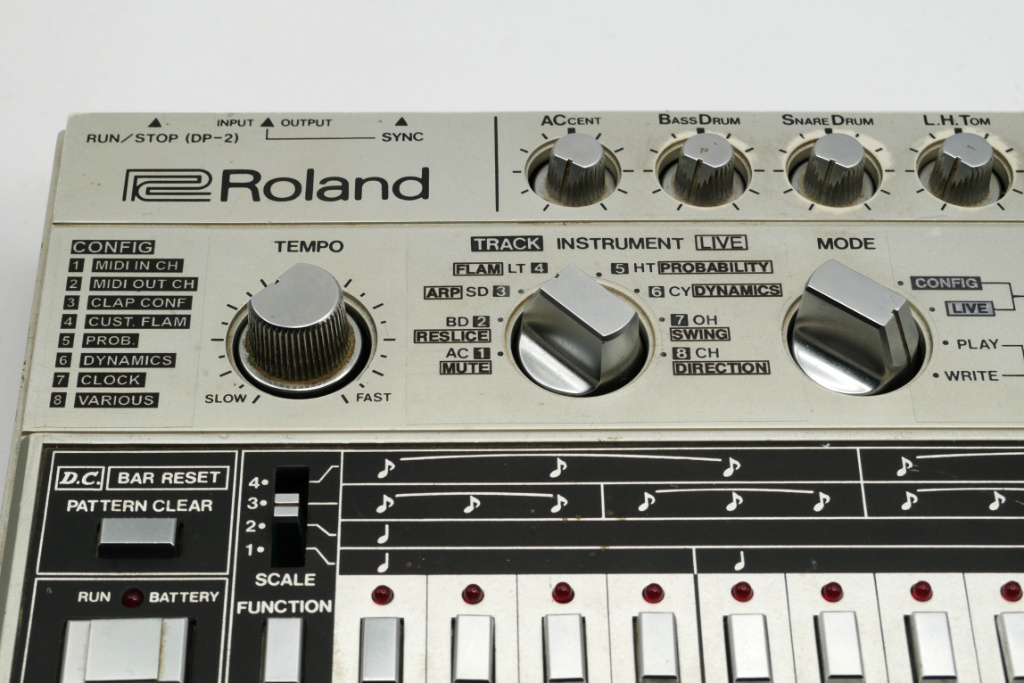
MIDI input and output
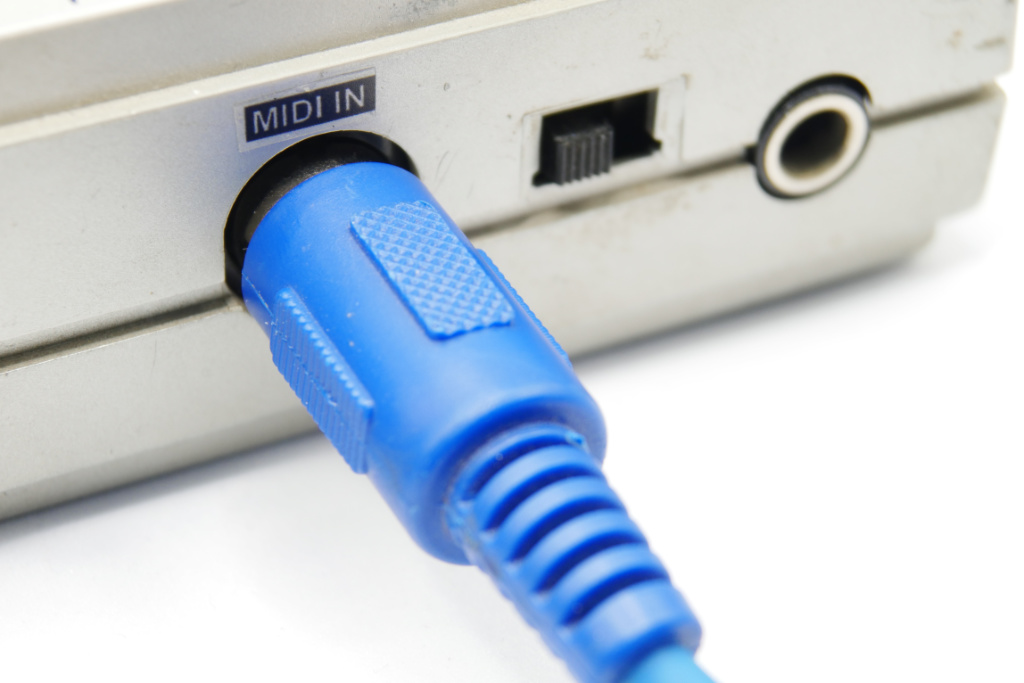
TR-6oh6 features both MIDI input and output. The input can be used to sync the TR-606 to MIDI clock, and to trigger the instruments with velocity control. You can also use CC messages to control all kinds of parameters.
The output sends clock and the instruments sequenced by the TR-606, and allows control of other gear, or recording of sequences in a DAW.
The MIDI notes of the instruments are freely configurable using a web-based tool.
There are multiple ways to install MIDI sockets:
- You can use the existing DIN socket for both DIN-sync and MIDI input. When doing so, you will loose the ‘tap’ and ‘fill’ signals on the DIN socket, but these are rarely used anyway.
- You can install additional TRS-sockets for both MIDI input and output. These are included in the kit. You can also use the DIN socket as MIDI intput and a TRS socket as output.
Additional instruments
With 6oh6, it is possible to access additional instruments in the sequencer or via MIDI. These instruments are using the original 606 sound circuits, but trigger them in new ways. These are:
- BD2 – DEEP KICK: A deep 808-like kick
- SD2 – CLAP: A clap constructed from parts of the snare. The clap parameters are freely configurable.
- LT2 – MID BASS DRUM: Another alternative bassdrum sound, triggers the higher part of the bass drum
- HT2 – BRUSH: The filtered noise of the Toms can be triggered separately
- CY2 – FELT CYMBAL: One part of the cymbal is triggered, sounds like hitting a cymbal with a felt mallet.
- OH2 – CLOSED CYMBAL: Triggeres the short part of the cymbal.
- CH2 – CLICK HAT: A click-like very short closed hihat
- You can also replace the clap with two more sounds:
SNOISE: The noisy parts of the snare, and CLOSED SNARE: A short version of the noisy snare
Via MIDI it is possible to trigger even more instrument variants, as some intruments allow a ‘gated mode’ where the length of the MIDI note influences its sound.
All instruments including the original ones can be triggered with dynamic volume levels via the sequencer or via MIDI velocity.
Updated control scheme
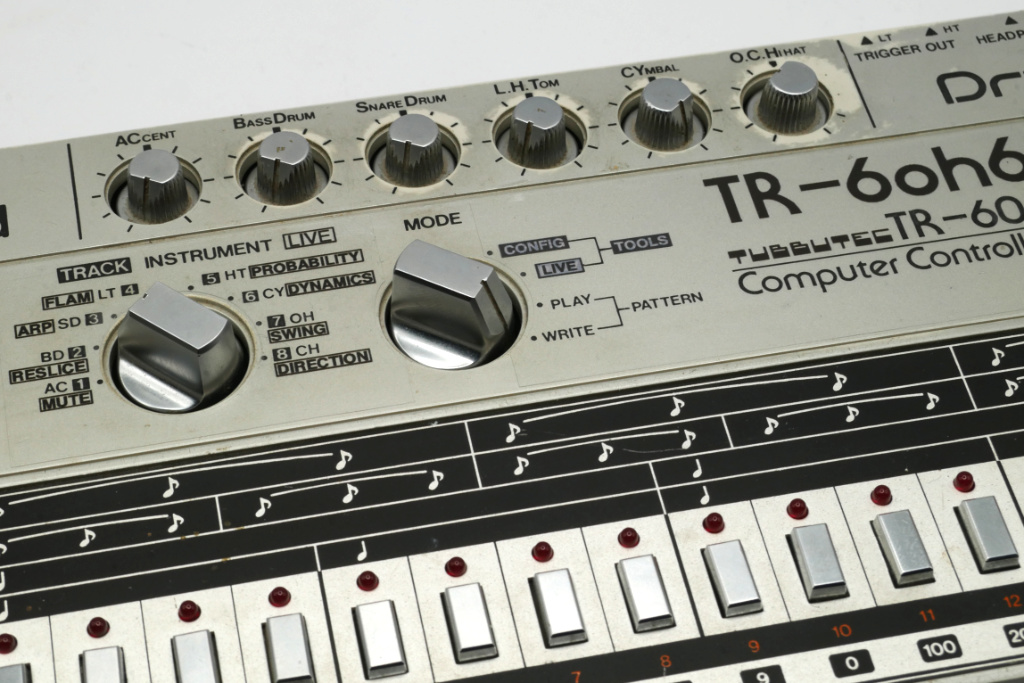
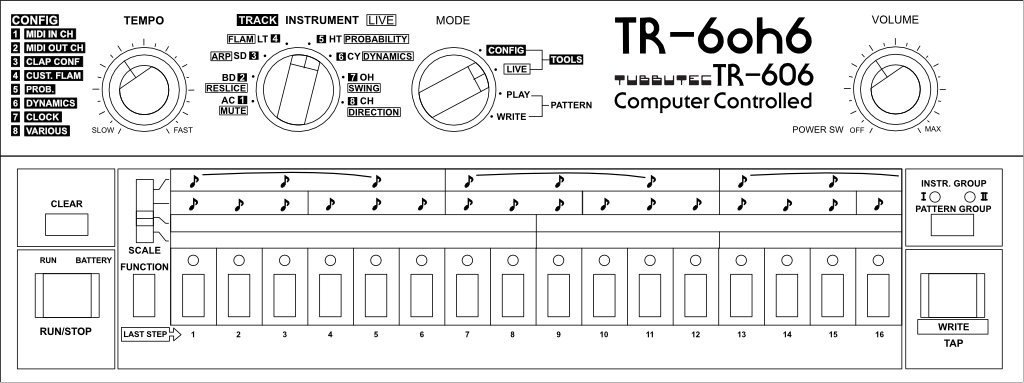
The TR-6oh6 firmware expands upon the existing features in the PATTERN PLAY page, and turns it into a complete track programming mode. This frees up two switch positions, that were originally used for track programming (TRACK PLAY and WRITE). In the 6oh6, these pages are now used for live effects and additional settings.
There is also a Legacy mode that behaves identical to the original with 2 exceptions:
- Additional instruments can be selected
- MIDI features are still present
Programming patterns (PATTERN WRITE)
The control scheme of the PATTERN WRITE mode is mostly identical to the original, so users won’t have to relearn how to use the 606. We only added new features on top, such as:
- Seven additional instruments selectable via the GROUP button
- Per step and per instrument volume and probability control
- A pattern generator for the current instrument
Programming tracks (PATTERN PLAY)
The PATTERN PLAY mode is heavily expanded. It still allows you to chain multiple patterns. You can do that the same way as in the original.
However, you can now do much more here:
- Chain patterns from both pattern groups and in any order, with a pattern occurring multiple times in a chain
- Save these chains as track 1-8, load them on demand
- Select a pattern for independent editing (editing while it is not playing)
- Copy and paste patterns
- A pattern generator with 8 different styles
- Clear patterns
Live effects
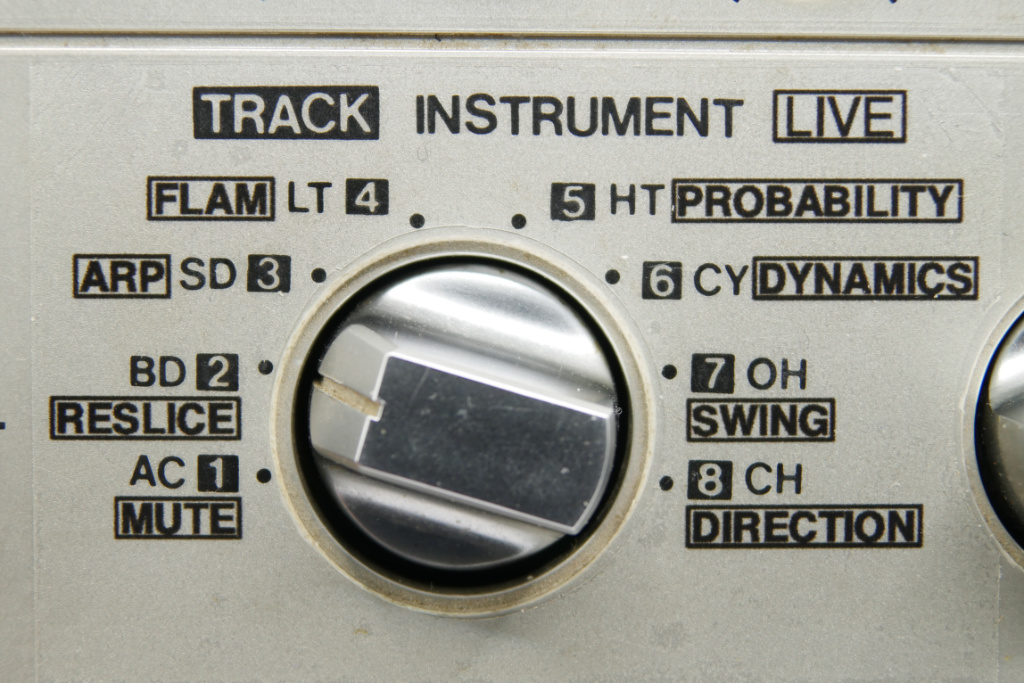
By selecting the LIVE MODE with the mode switch, you can access 8 different live effects using the TRACK/INTRUMENT switch:
- MUTE: Live muting of all 14 instruments + Accent + Flam Trigger
- RESLICE: A beat repeater and reslicer that can be used as a live effect, or put into automatic mode to constantly rearrange your rhythms
- ARP: A drum apreggiator, that works like a live sequencer for rhytms. It also features a Euclidian rhythm mode and resulting rhythms can be saved as patterns
- FLAM: A Flam and Ratchet effect can be triggered by the FLAM TRIGGER instument and affects one or multiple instruments. This effect can be used to create subdivisions of steps as well as various kinds of tuplets, e.g. triplets or quintuplets. It is also possible to create a custom flam pattern.
- PROBABILITY: Allows you to set up 4 different probability levels for each instrument, that can then be selected per step in PATTERN WRITE mode.
- DYNAMCIS: Allows you to set up 4 different trigger levels for each instrument, that can then be selected per step in PATTERN WRITE mode.
- SWING: Adjustable swing amount acting on MIDI or analog clocks
- DIRECTION: Let’s you change the sequencer play direction without losing sync.
Pattern generator
There are two types of pattern generators built into the TR-6oh6:
- Instrument pattern generator: Generate rhythms for a specific instrument.
By long-pressing tap in PATTERN WRITE, a pattern for the current instrument is created. The algorithm looks at the rhythms of other instruments and tries to find a good solution for the new one. - Rhythm Pattern generator: Generate rhythms for a complete pattern.
By long-pressing TAP in PATTERN PLAY, a complete pattern for the currently selected pattern is generated. The INSTRUMENT SELECTOR defines the style of the rhythm: AC creates a rhythm based on the existing pattern, while BD to CH create rhythms with increasing complexity.
Saving rhythm data
The original TR-606 can only keep pattern and track data if batteries are installed. With the TR-6oh6, you need to manually save the patterns before turning off the machine, but then they will be retained even without a battery.
Configuration menu
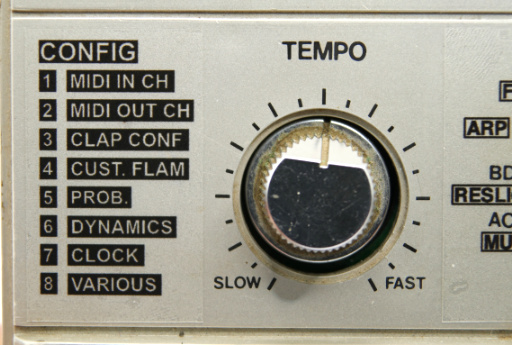
There is a built in confuration mode. Here, it is possible to define MIDI channels, select the clock source and various other settings.
It also possible to:
- Freely define the CLAP sound based on 6 different parameters.
- Create a custom FLAM effect that can span multiple steps.
- Define which levels are used for dynamics and probability
User guide
A user guide is available as PDF here. [beta version, not quite finished yet]
Installation guide
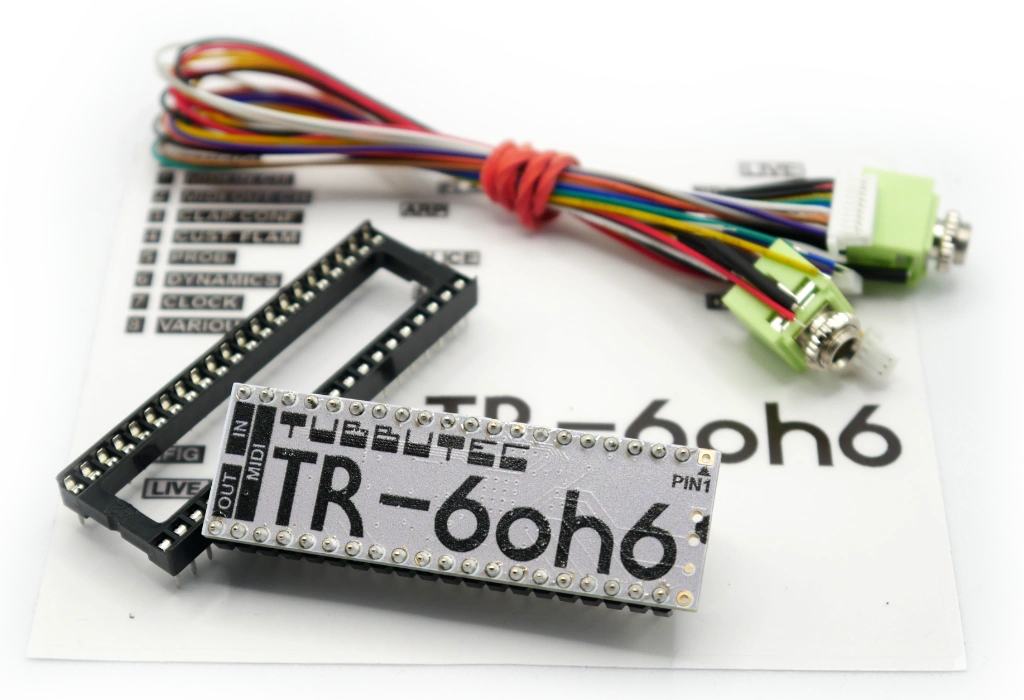
The installation is fairly simple if you know how to solder. You need to desolder the existing TR-606 CPU. Then, solder a socket (comes with the kit) in its place.
You can then plug in the TR-6oh6 CPU and solder a few wires to access the additional CPU.
Finally, you need to install MIDI – Either by using the existing DIN socket and/or by drilling holes for TRS or DIN sockets.
FAQ
Q: Will this work with a RE-606?
A: Yes
Q: Will this work with a modded TR-606? TR-608? Or similar?
A: Yes. Pretty much all these mods are analog, TR-6oh6 replaces the CPU instead.
Depending on the mod it might be harder to install TR-6oh6 because of all the cables the mod might have though.
Q: Does it work with a 606 that has been modded with individual outs?
A: Yes
Q: Will this work with a Behringer RD-6?
A: No
Q: I already have a Tubbutec uniPulse upgrade for my TR-606
A: You can remove it, or leave it in and use both at the same time.